
ElevenLabs speech provider
An ElevenLabs speech provider lets Live Hub use your ElevenLabs account for text-to-speech (TTS), speech-to-text (STT), or both.
Get the API key from the profile settings in ElevenLabs.
Give the key permissions for both Voices and Models. Without them, Live Hub cannot list the voices and models your account has.
ElevenLabs' advanced configuration parameters can be set at either of two levels:
- Provider level: Enter the parameters in the 'TTS configuration' and 'STT configuration' fields. A parameter set on the provider applies to every bot connection that uses the provider.
- Bot connection level: Enter the parameters on the bot connection's Advanced tab. A parameter set on a bot connection applies to that connection only.
If the same parameter is set at both levels, the bot connection value takes precedence.
Add an ElevenLabs speech provider
To add an ElevenLabs speech provider:
-
In the 'Authentication key' field, enter the API key.
-
Under Text-to-Speech (TTS):
- Optional: In the 'TTS host' field, enter a hostname that overrides the default,
api.elevenlabs.io. - Optional: In the 'TTS configuration' field, enter the advanced configuration parameters that apply to every bot connection using this provider. See Configure advanced parameters at the provider level.
- Optional: In the 'TTS host' field, enter a hostname that overrides the default,
-
Under Speech-to-Text (STT):
- Optional: In the 'STT host' field, enter a hostname that overrides the default,
api.elevenlabs.io. - Optional: In the 'STT configuration' field, enter the advanced configuration parameters that apply to every bot connection using this provider. See Configure advanced parameters at the provider level.
- Optional: In the 'STT host' field, enter a hostname that overrides the default,
-
Click Create.
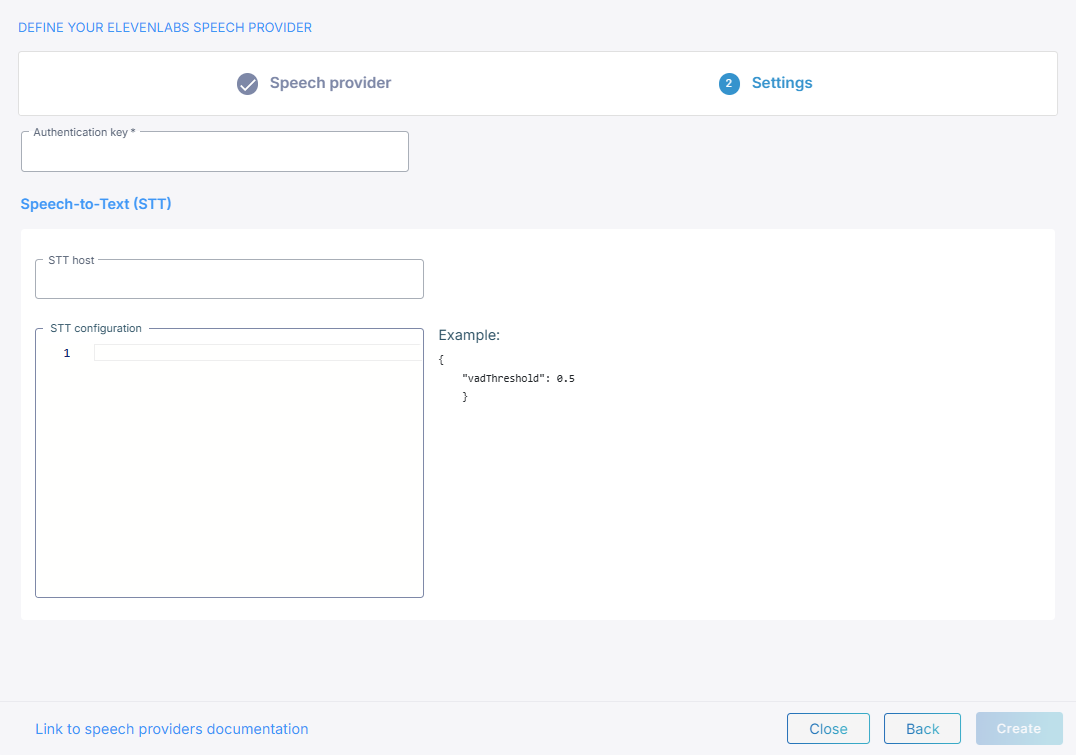
Only the sections for the speech types you selected appear.
Configure advanced parameters at the provider level
The JSON you enter in 'TTS configuration' and 'STT configuration' is merged into every request Live Hub sends to ElevenLabs, so it applies to every bot connection using this provider. Each field takes only its own direction's parameters.
Text-to-speech
The parameters split into two sections by how ElevenLabs takes them: whatever its
documentation lists as a query parameter goes under query, and whatever it lists as a
body parameter goes under body. The full set is the
ElevenLabs streaming text-to-speech API.
{
    "body": {
        "voice_settings": {
            "speed": 1.2
        }
    }
}
body.model_id and query.enable_logging work here but have no effect on a bot
connection.
Speech-to-text
The full set of speech-to-text parameters is the query parameters of the ElevenLabs realtime speech-to-text API.
{
    "vadThreshold": 0.35
}
Name them in camelCase, even though ElevenLabs documents them in snake_case. modelId
has no effect: the model comes from the bot connection.
Configure advanced parameters at the bot connection level
You can set the same parameters on a single bot connection rather than on the provider,
under ttsPassthruConfig and sttPassthruConfig in the JSON editor on the connection's
Advanced tab. See
Manage bot connections.
{
    "ttsPassthruConfig": {
        "body": {
            "voice_settings": {
                "speed": 1.2
            }
        }
    },
    "sttPassthruConfig": {
        "vadThreshold": 0.35
    }
}
Prompting and silence detection
Two further bot parameters affect ElevenLabs recognition, and go on the same Advanced tab:
| Parameter | What it does |
|---|---|
sttInstructions
|
Live Hub sends it to ElevenLabs as previousText with the first chunk of audio. |
sttSegmentationSilenceTimeoutMs
|
Live Hub converts it to seconds and sets ElevenLabs' vadSilenceThresholdSecs when the recognition connection opens. |
Language, model, and voice
You select the language, the model, and the voice per bot connection, on its Settings tab, not on the provider. See Manage bot connections.